[ Code ]

Activation and Initialization Hooks in WordPress: Where...
Choosing the right hook to create a table is not just a matter of “will the code work,” but a matter of your site’s performance. If you choose the wrong moment to call dbDelta, you could slow down your site or create unnecessary load on the database. Let’s look at the main options and their […]

How to Create a Custom Table in...
Sometimes, standard WordPress features like Posts and Meta Fields aren’t enough for complex projects. In such cases, creating your own database table is the most efficient way to optimize performance and data structure. 1. Reference Code for Creating a Table To interact with the database, we use the dbDelta function. Its main advantage is ...

Access Permissions (capabilities) in WordPress: How to...
WordPress provides a flexible capabilities system that allows you to precisely control who can perform specific actions on your site. These permissions can be applied to different user roles such as subscriber, author, editor, and administrator, as well as custom roles. In this article, we will look at the main access permissions, their purpose,...
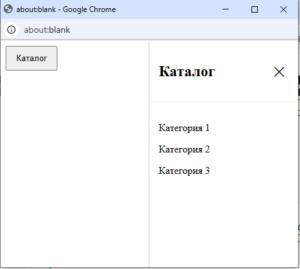
Sliding Catalog on the Right with CSS...
Sometimes it’s more convenient to show a catalog not on a separate page, but on top of the current content. One simple option is a sliding panel on the side of the screen. In this example, the catalog is implemented without external libraries: CSS handles the animation, and a small JavaScript snippet manages the state. […]

How to make any element a link...
In web development, there are several ways to make an element (such as a button or div) a link using the JavaScript onClick event. The choice of method depends on how the page should open: in the same tab or in a new one. 1. Redirect in the same tab The simplest and most popular […]
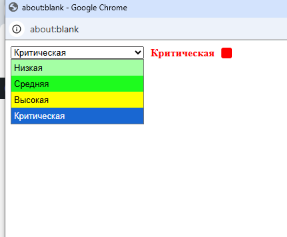
HTML Select: hidden placeholder, highlight, and dynamic...
In HTML forms, <select> is often used to choose the priority or urgency of a request.Usually, at the top, a placeholder option is added: —— Urgency —— However, the default version has a problem: this text appears in the dropdown, which looks messy. We’ll cover: standard <select> improved version with hid...
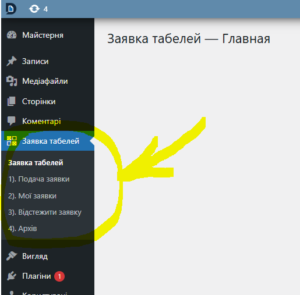
How to Create a Custom Admin Menu...
WordPress allows you to add your own settings pages directly into the admin dashboard. This is useful when you need custom functionality: managing requests, plugin settings, displaying reports, and much more. In this article, we’ll look at how to create your own menu and submenu items in the WordPress admin panel. You’ll find code ex...
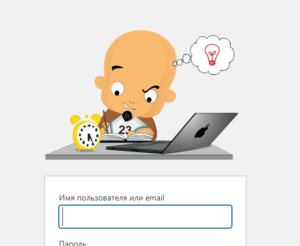
Customizing the WordPress Login Page: Logo, Colors,...
The default WordPress login page looks the same on every site. But if you want to give it a branded look — change the logo, colors, or background — you can easily do it with a small PHP script. In this article, we create a custom settings page inside the admin panel that allows you […]
How to Change or Completely Remove the...
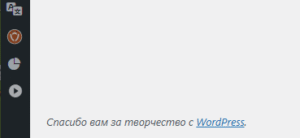
Do you want to give your WordPress website’s admin panel a more professional and personalized look? One simple step is to change the standard text in the admin panel’s lower footer, or completely remove it. This is especially useful for web studios, freelancers, and SEO specialists who want to remove mentions of WordPress, replacing ...
How to Add a Department Choice for...
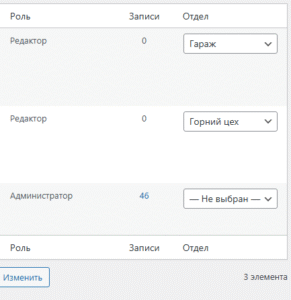
In this article, we will show how to add a custom “Department” column in the WordPress user list, allow the administrator to change a user’s department via a dropdown, and display the selected department on the frontend for logged-in users. 1. Add a “Department” column in the admin First, add a new column in the [&h...
How to Add an Image to WordPress...
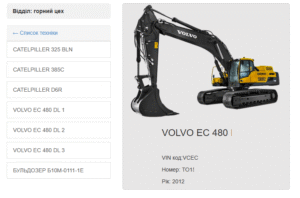
By default, WordPress categories do not have images. But sometimes it’s needed:✔ for product catalogs,✔ for news sections,✔ for a beautiful category grid,✔ for a blog with previews. In this guide, we’ll show you how to add an image upload option for each category, save it, and display it on your site.No pl...
How to Add a “Department” Field and...
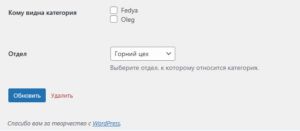
Sometimes you need users to see only the categories that belong to their department.For example, you have two departments: Mining Shop and Garage.Each one should see only its own categories. You can implement this in WordPress without plugins — just add some code. 1. Add custom fields to categories The code below adds two new […]
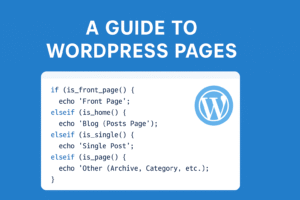
How to Detect the Page Type in...
In WordPress, you often need to know what kind of page the user is currently on. This is useful when you want to change content, layout, or run specific actions depending on the page type. Main Check Functions WordPress provides special conditional functions: is_front_page() – checks if the current page is the front (main) page. […]
How to Display the Visitor’s IP Address...
An IP address (Internet Protocol Address) is a unique numerical identifier assigned to a device on a network. Just like every house on a street has its own address, every computer, smartphone, or tablet connected to the internet has a unique IP address. Many websites use IP addresses to track user activity or customize content […]
How to Detect an AdBlocker on Your...
Web developers often encounter the problem of ad blockers, which can interfere with a site’s functionality. One way to solve this issue is by detecting the ad blocker using JavaScript. In this article, we’ll look at a simple method for checking the activity of an ad blocker and alerting users. How it works: We create […]

How to Add a Currency Widget to...
In this article, we’ll look at how to add a currency widget (such as USD) to the main page of the WordPress admin dashboard. You’ll see how to create a form for entering values, save them to the database, and display them on the website. Code for creating the widget: How to display values on […]